
One of the most requested features of Gitea is inclusion of a CI/CD system, and better integration with existing third-party CI/CD systems. With the work being done on Gitea Actions, we hope to provide a solution to this problem.
❗ Disclaimer
Section titled “❗ Disclaimer”⚠️ the feature is EXPERIMENTAL, and please note that:
- It is disabled by default;
- It shouldn’t be used in a production environment currently;
- It shouldn’t be used in a public Gitea instance currently;
- Breaking changes may be made before it’s stable.
- The pull request is being reviewed by the community and changes may be made to the design.
Overview of Gitea Actions
Section titled “Overview of Gitea Actions”The aim of Gitea actions is to bring closer integration between Gitea and existing CI/CD systems. Another goal is to expose a unified management inteface for standalone runners to reduce the adminstrative overhead of supporting multiple systems if desired. The standalone runner workflows are designed to be compatible with GitHub Actions, and can be used to build, test, package, release, or deploy any code project on Gitea.
Gitea Actions goes beyond just DevOps and lets you run workflows when other events happen in your repository. For example, you can run a workflow to automatically add the appropriate labels whenever someone creates a new issue in your repository.
DevOps Toolchains
Section titled “DevOps Toolchains”There are many third-party CI/CD systems that can be integrated with Gitea. Here are some of the most popular ones:
- Agola
- AppVeyor
- AWS Cloud Integration(webhook-to-s3)
- buildbot-gitea
- buildkite-connector
- Concourse
- Dex
- Drone
- Jenkins
- Jianmu CI
- Metroline
- mvoCI
- Tea Runner
- Woodpecker
The new Gitea Actions system would allow these existing systems to push their results directly into Gitea, allowing them to be viewed in a unified way, and should a administrator wish not to have to manage multiple systems, they can be use the option of standalone runners.
Create Gitea Actions
Section titled “Create Gitea Actions”The design concept of keeping the workflow included in the repository (such as how Drone, Woodpecker, and GitHub Actions do) enables tighter integration between repository and CI tools, realizing configuration as code. At the same time, platform users provide rich application extensions for the entire system.
After two years of research and discussion, development task of Gitea’s built-in CI/CD system has made significant progress. (Join the discussion #13539)
Implement
Section titled “Implement”Gitea Actions implements a built-in CI/CD system framework, compatible with GitHub Actions’ YAML workflow format, and compatible with most existing Actions plugins in GitHub Marketplace.
The system has three parts:
- Definition and implementation of Gitea Actions Protocol. Third party CI/CD systems could use this protocol to publish their results directly into Gitea.
- A runner for Gitea based on nektos/act.
- Implementation Actions management subsystem
Screenshots
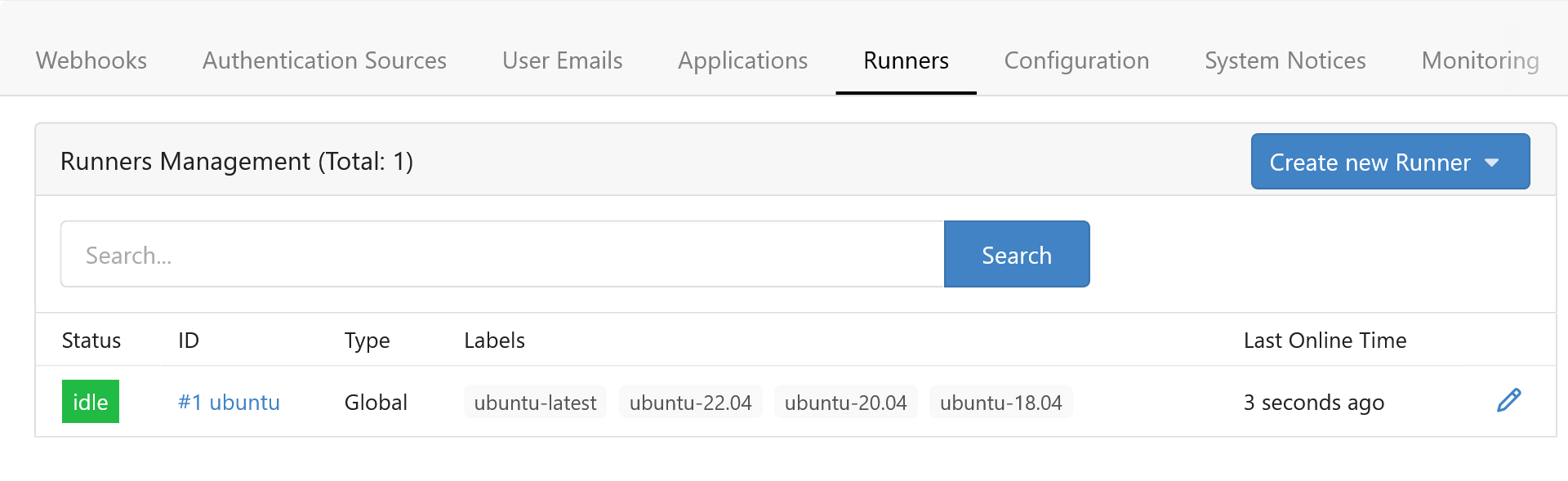
Section titled “Screenshots”1.System administrators can access the Runners management interface to create, edit, and delete Runners.
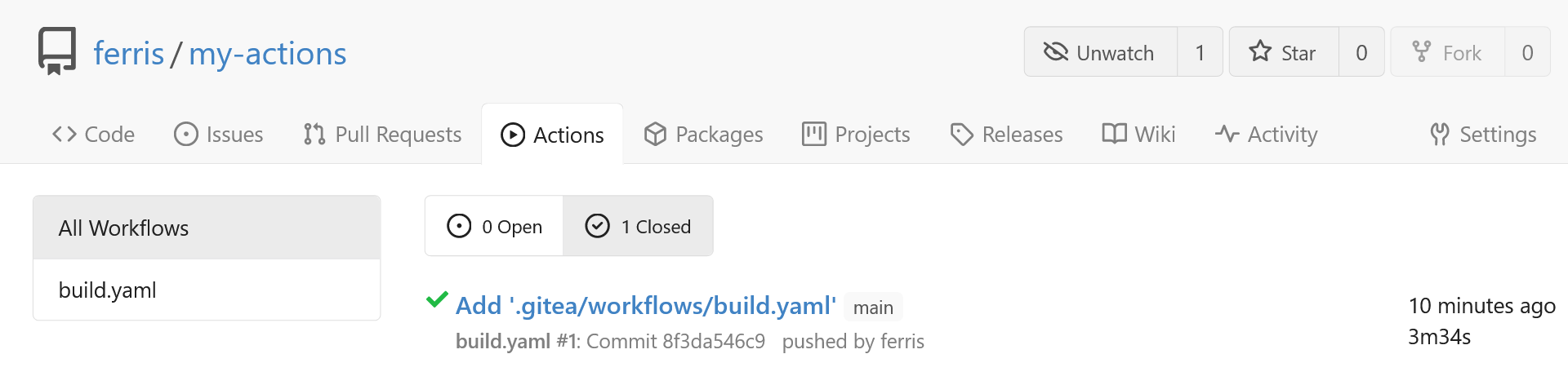
2.Open Actions from the navigation bar to view the CI build log.
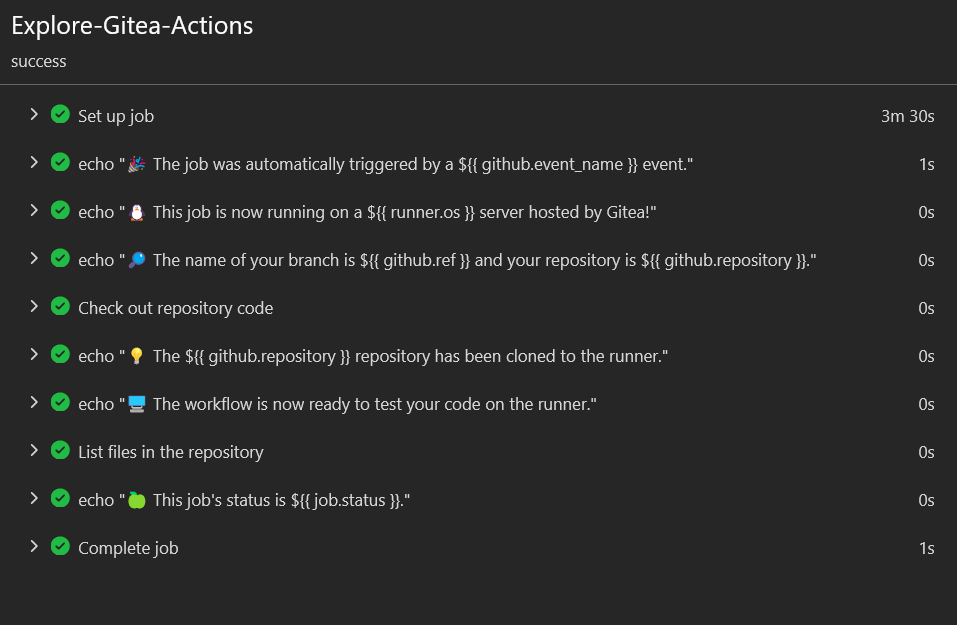
3.View logs.
Try it on local machine
Section titled “Try it on local machine”Requirement
Section titled “Requirement”- All the existing required tools to build Gitea
- Docker: Callable docker API for running containers
Build from source
Section titled “Build from source”1.Start Gitea
Clone the feature branch and install from source:
git clone https://github.com/go-gitea/gitea.gitcd giteagit fetch origin pull/21937/headgit checkout -b pullrequest FETCH_HEAD
# Build with SQLite supportTAGS="bindata sqlite sqlite_unlock_notify" make build
# Initialize Gitea./gitea web
Add additional configurations in app.ini to enable Actions:
[actions]ENABLED = trueRestart it. If all is well, you’ll see the Runner Management page in Site Administration.
2.Start runner
Clone the act_runner, and follow the README to start it.
git clone https://gitea.com/gitea/act_runner.gitcd act_runnermake buildThen register the Runner to the Gitea server.
Interactive commands:
./act_runner registerAnd you will be asked to input:
- Gitea instance URL, like
http://192.168.1.100:3000/. You should use your gitea instance ROOT_URL as the instance argument and you should not use localhost or 127.0.0.1 as instance IP; - Runner token, you can get it from
http://192.168.1.100:3000/admin/runners; - Runner name, you can just leave it blank;
- Runner labels, you can just leave it blank.
No-interactive commands:
./act_runner register --instance http://<your_gitea_instance> --token <your_runner_token> --no-interactiveRun as daemon
./act_runner daemon3.Enable actions for a repo
Create a new repo or open an existing one, check the Actions checkbox in settings and submit.

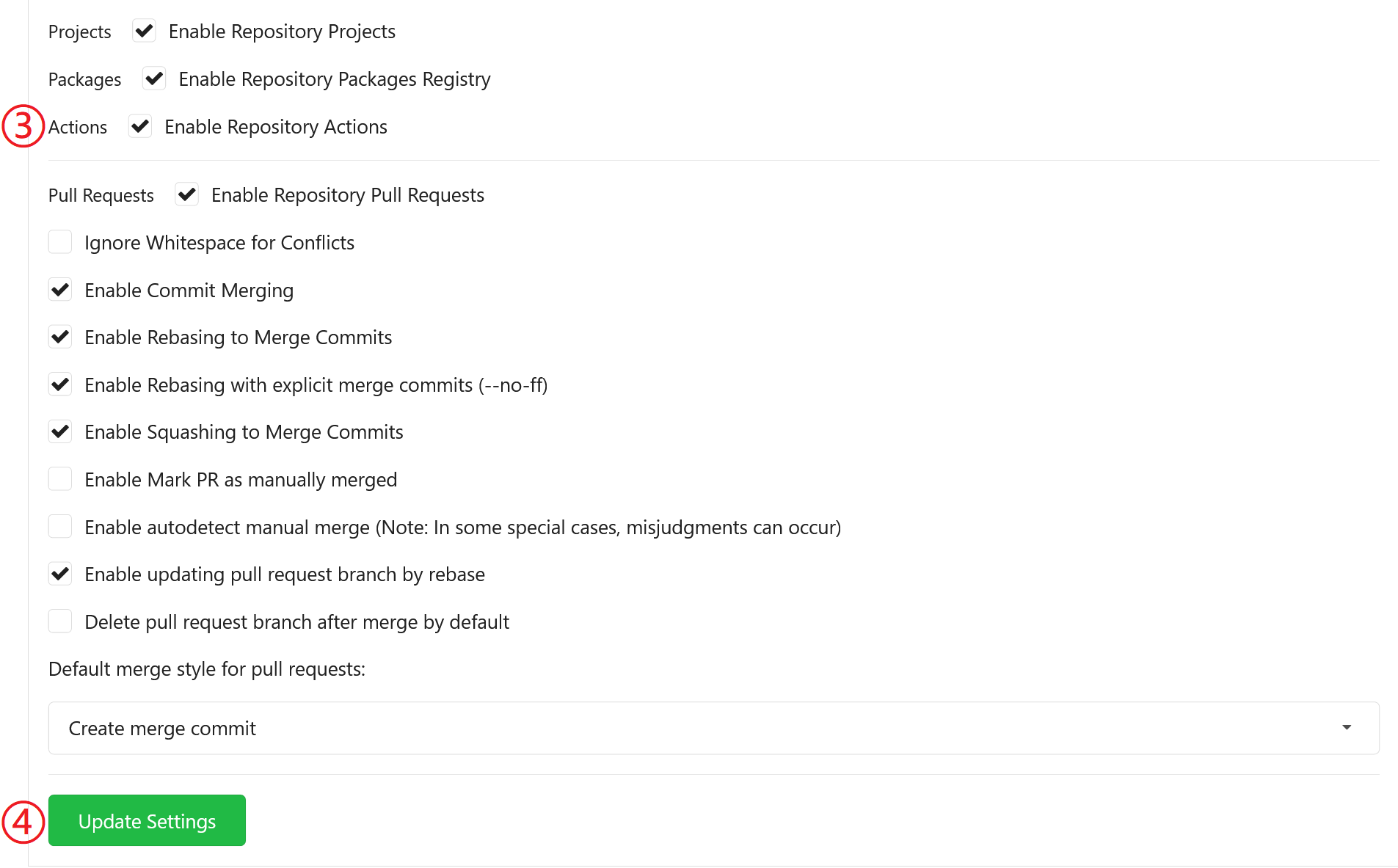
If all is well, you’ll see a new tab “Actions”:

4.Upload workflow files
Upload some workflow files to .gitea/workflows/<some-actions-name>.yaml, you can follow the quickstart of GitHub Actions. Yes, Gitea Actions is compatible with GitHub Actions in most cases, you can use the same demo:
name: Gitea Actions Demorun-name: ${{ github.actor }} is testing out Gitea Actions 🚀on: [push]jobs: Explore-Gitea-Actions: runs-on: ubuntu-latest steps: - run: echo "🎉 The job was automatically triggered by a ${{ github.event_name }} event." - run: echo "🐧 This job is now running on a ${{ runner.os }} server hosted by Gitea!" - run: echo "🔎 The name of your branch is ${{ github.ref }} and your repository is ${{ github.repository }}." - name: Check out repository code uses: actions/checkout@v3 - run: echo "💡 The ${{ github.repository }} repository has been cloned to the runner." - run: echo "🖥️ The workflow is now ready to test your code on the runner." - name: List files in the repository run: | ls ${{ github.workspace }} - run: echo "🍏 This job's status is ${{ job.status }}."If all is well, you’ll see a new run in Actions tab:
5.Check the logs of jobs
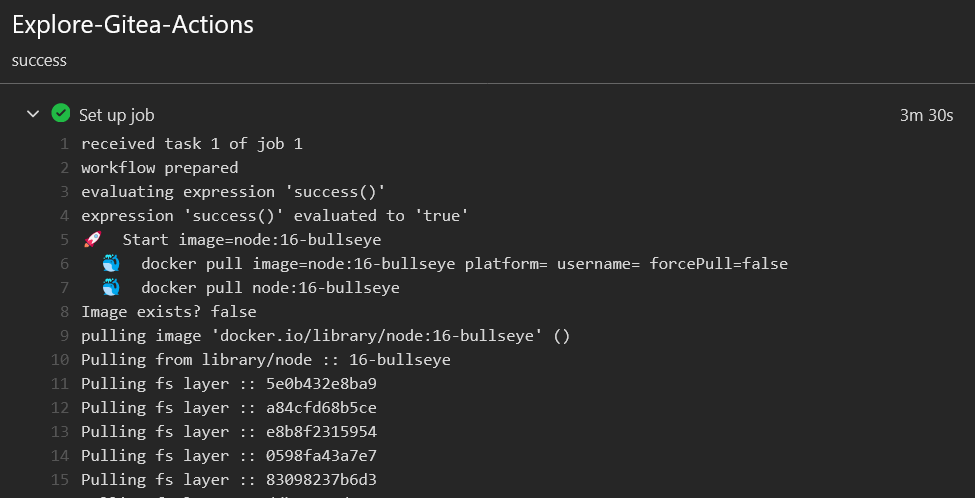
Click a run and you’ll see the logs. It is easy to see that Gitea Runner has pulled the Docker image as the basic environment
- Future Exploration
With the overlap between Gitea Actions and GitHub actions, you can try some examples in the documention of GitHub Actions, and if you find bugs please report them so they can be resolved.
More from the blog


Join our community
Gitea is open source. Star our GitHub repo, and join our community on Discord!

Subscribe to our newsletter
Stay up to date with all things Gitea