These changes are likely to affect the way Gitea works for at least some users. These changes are sorted by importance, with the top ones likely requiring some actions from you, and the bottom ones mostly not affecting anyone.
⚠️ Move public asset files to the proper directory (#25907)
At some point, a folder structure emerged for Gitea where files stored in custom/public/* have been served under https://gitea.example.com/assets/*, which lead to a lot of confusion for new users trying to customize their instances.
To correct this behavior, we changed the default assets folder to custom/public/assets/*.
If you have custom asset files, e. g. custom themes, inside custom/public/*, you need to transfer these files to custom/public/assets/* for them to be detected by Gitea v1.21.
⚠️ Set SSH_AUTHORIZED_KEYS_BACKUP to false (#25412)
Previously, the configuration option [server].SSH_AUTHORIZED_KEYS_BACKUP, which makes Gitea automatically create backups of the authorized_keys file every time a new SSH key is added by a user, was set to true by default. However, this lead to the backup folder getting enormously large on instances with many users.
As a consequence, we decided to change the default value of this parameter to false. Please ensure to set it to true manually inside your app.ini if you want for Gitea to continue creating backups of this file.
⚠️ Remove CHARSET config option for MySQL, always use utf8mb4 (#25413)
Using utf8 as a charset for MySQL may result in issues, e. g. with emoji characters, however a new installation can still end up using it through the [database].CHARSET configuration option. The superior utf8mb4 character set is being supported since MySQL v5.5, and as Gitea only supports MySQL v5.7+, support for utf8 is no longer needed in Gitea. To eliminate such issues, we decided to remove this configuration option completely.
Existing utf8 databases will continue to work without modifications, however we strongly recommend you to convert them to utf8mb4 using the gitea doctor convert command.
When using certificate authentication, the OpenSSH server automatically rejects host certificates which are being used as client certificates.
Similarly to OpenSSH, Gitea’s built-in SSH server now also requires you to use proper client certificates when connecting.
Most users should be unaffected by this change.
⚠️ Remove commit status running to align with GitHub (#25839)
When implementing Gitea Actions, the additional commit status “running” was introduced in Gitea v1.19, which resulted in partially confusing aggregated commit status behavior if compared to GitHub. We decided to remove “running” with this release to simplify the commit status and make it more consistent with GitHub.
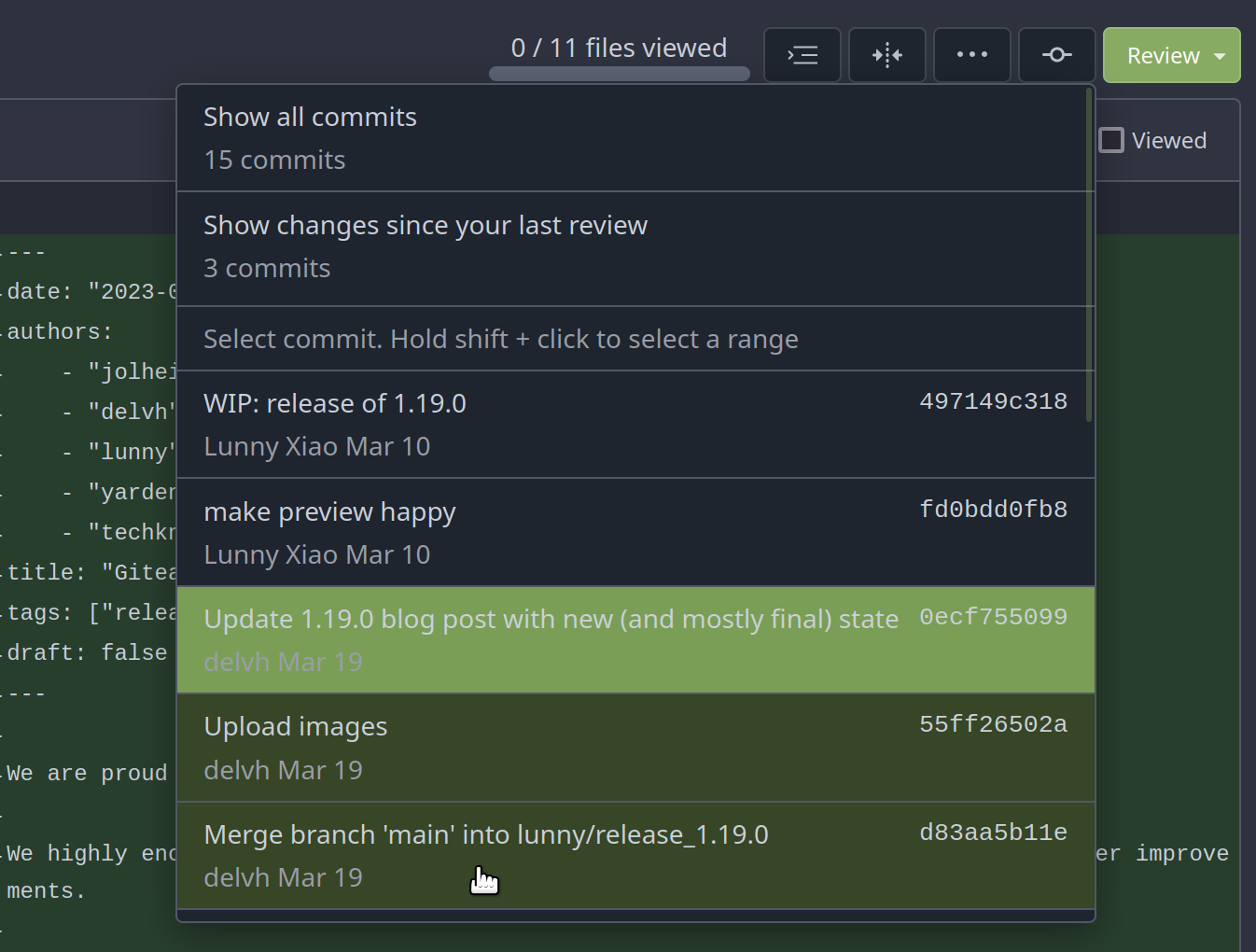
One of the major pain points for anyone, who has ever reviewed a PR on Gitea, was always that it is only possible to see the current state of the PR and not previous commits, or even a range of commits.
This has now changed, as you can now select to review all changes, the changes of a single commit, the changes of any commit range, or even all changes since your last review.
Gitea now supports CODEOWNERS files as explained by GitHub in their docs. Currently, the only supported functionality is automatically assigning code reviewers to PRs which change specific files.
The CODEOWNERS file is loaded from these paths in this order:
./CODEOWNERS
./docs/CODEOWNERS
./.gitea/CODEOWNERS
🚀 Pre-register OAuth2 applications for git credential helpers (#26291)
Storing credentials for Git repositories safely can be a nightmare - that’s where Git credential helpers come in to make developers’ lives easier.
To allow for them to be used without any additional server-side configuration, starting from Gitea 1.21, OAuth applications for Git Credential Manager and git-credential-oauth will be pre-registered in Gitea by default.
This can be disabled by setting the [oauth2].DEFAULT_APPLICATIONS parameter in app.ini.
The underlying functionality would also allow to pre-register OAuth applications for other applications, i. e. GitNex or Tea, in future releases.
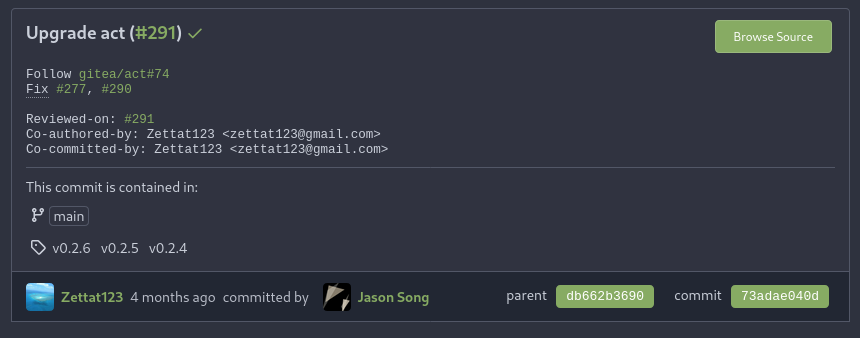
🚀 Show branches and tags that contain a commit (#25180)
Gitea 1.21 introduces a new concept that (to the best of our knowledge) no one else offers yet:
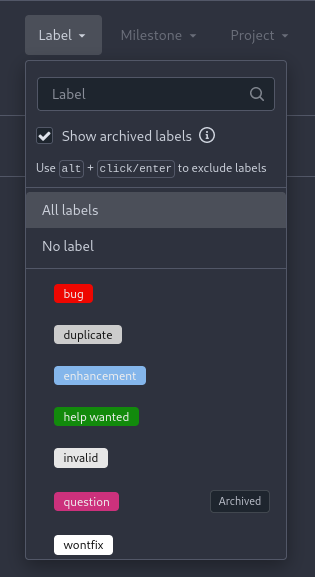
Archived labels.
Archived labels work a bit like closed milestones and projects, but specifically for labels.
When you archive a label:
The label won’t show up as a suggestion when you’re adding/editing labels on issues or pull requests.
You can’t assign the archived label to any new issues or pull requests.
However:
Any issues or pull requests that already have the archived label will keep it. Nothing changes for them.
This feature is particularly useful for larger projects or organizations.
It often happens that you only need a specific label for a limited period, like for a single project release.
After that, you don’t want it constantly appearing as a suggestion when you’re labeling new tasks or issues. So, archived labels allow you to retain the label’s information without cluttering up your label suggestions when you’re working on new items.
You should use this feature when you want to “retire” a label.
Before, you only had two suboptimal choices: Either delete the label and lose all the info linked to it, or deal with lots of unneeded label suggestions. Archived labels give you a better solution.
Note: It’s important to be aware that while the essential working parts of the system behind archived labels are already in operation, the way these labels are shown on your screen or displayed may still see alterations in upcoming releases. So, while the functionality is there, the actual appearance and how you interact with archived labels might change.
Gitea Actions have received various new features, and these additions have brought it to a point where we now consider Actions to be a mature component.
Some of these new features include:
Scheduled Workflows (#26655): It is now possible to run a workflow on a given cron schedule
Disable Workflow (#26413): It is now possible to disable workflows to stop them from running. This is especially useful in forks that cannot get rid of/change the parent workflows.
Download raw task logs (#24451): You can now download the logs of a task
Configuration variables (#24724): It is now possible to access non-sensitive information from a variable. Variables behave like de-obfuscated secrets.
UI filters (#25118): Filter workflows by who triggered a workflow and/or the state of an workflow (running, pending, failed, …)
Artifact cleanup rules (#26131): You can now define cleanup rules for Action artifacts to reclaim storage after some specified amount of time
Auto-cancellation of jobs (#25716): Running workflows that are triggered on push are now auto-cancelled on the next push to the same branch
Multiple-file artifacts (#24874): Actions Artifacts support uploading multiple files and directories
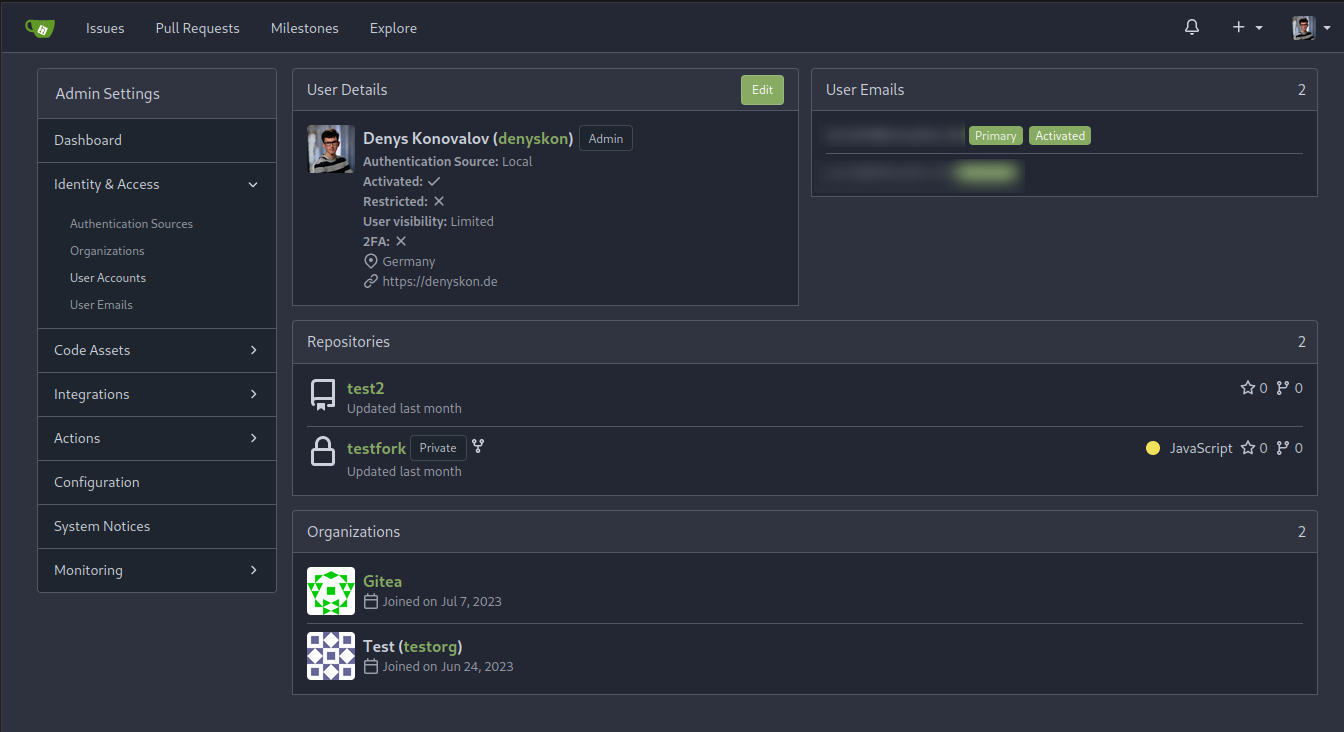
The admin page has gained new capabilities, making lives a bit easier for Gitea administrators!
Among them are the following:
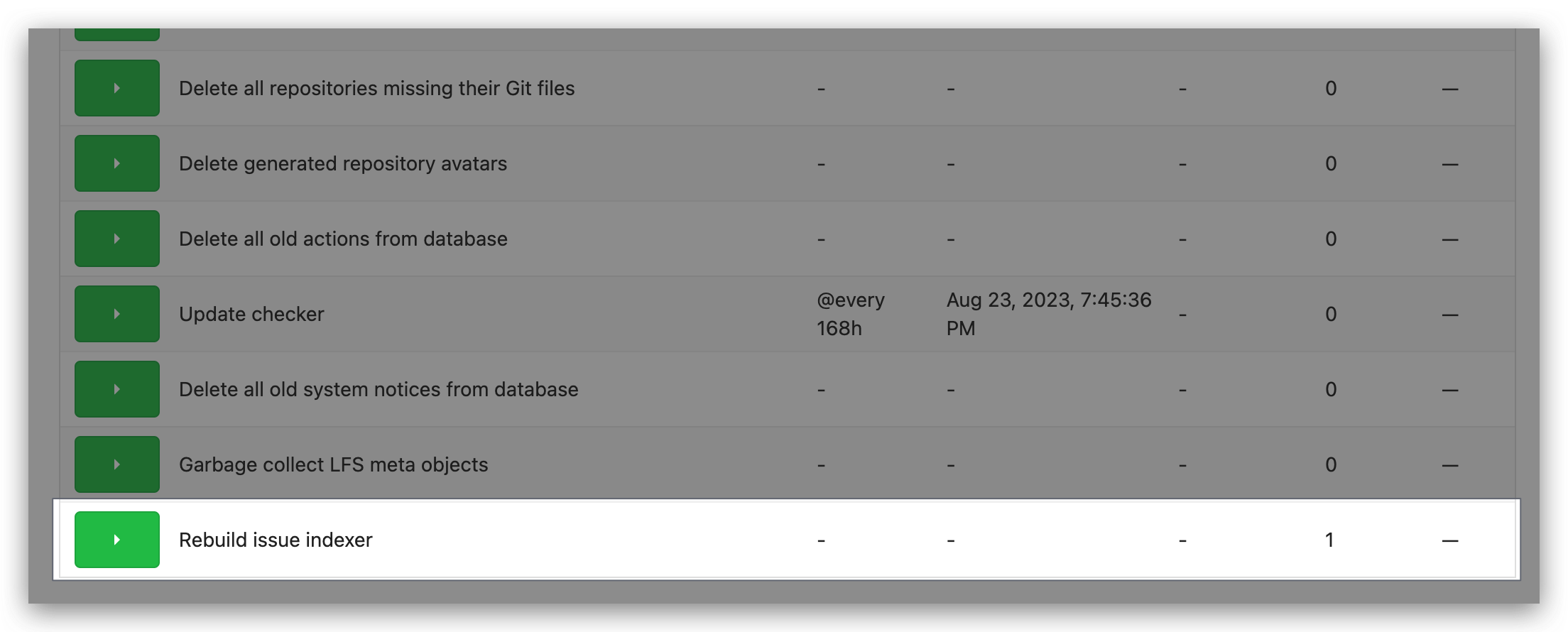
Rebuilding issue index manually from the cron task list
A details page for every user (accessible from the user list) showing all the important information available about a user like email addresses, organizations and repositories.
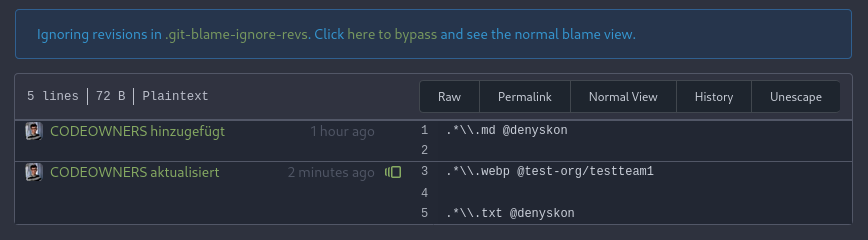
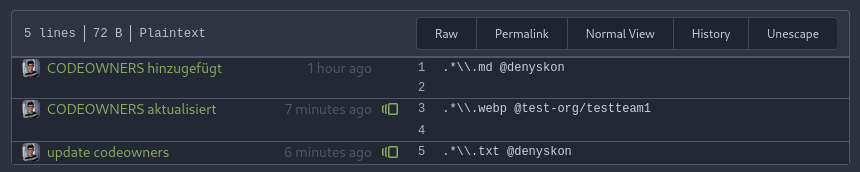
By default, the blame view will now filter out any commit that is defined in the .git-blame-ignore-revs file in the repository root directory.
Such a file should follow the format
Terminal window
# Comment why this commit is ignored
commitsha
…
so for example
Terminal window
# Move `.c` files to `.cpp`
1abcdefabcdef
# Remove semicolons everywhere
fedcbafedcba1
As such, it helps to ignore commits that didn’t change a file in a meaningful way.
Of course, it is also possible to show the full blame view by clicking on the respective link:
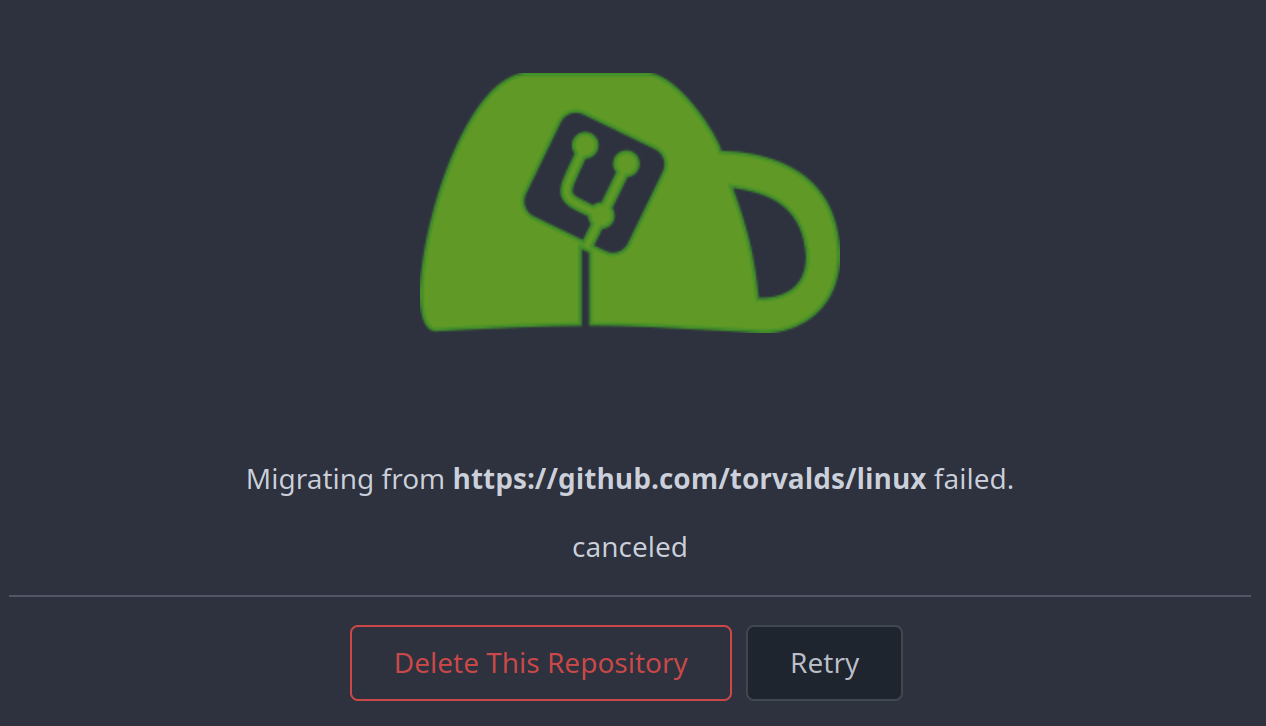
🚀 Allow retrying for failed pull mirror creations (#26228)
Previously, whenever creating a pull mirror failed, you were forced to delete the mirror and recreate it.
This redundant step has now been removed as you can simply retry creating it.
In a similar fashion, it is now possible to edit the sync interval of push mirrors after its creation.
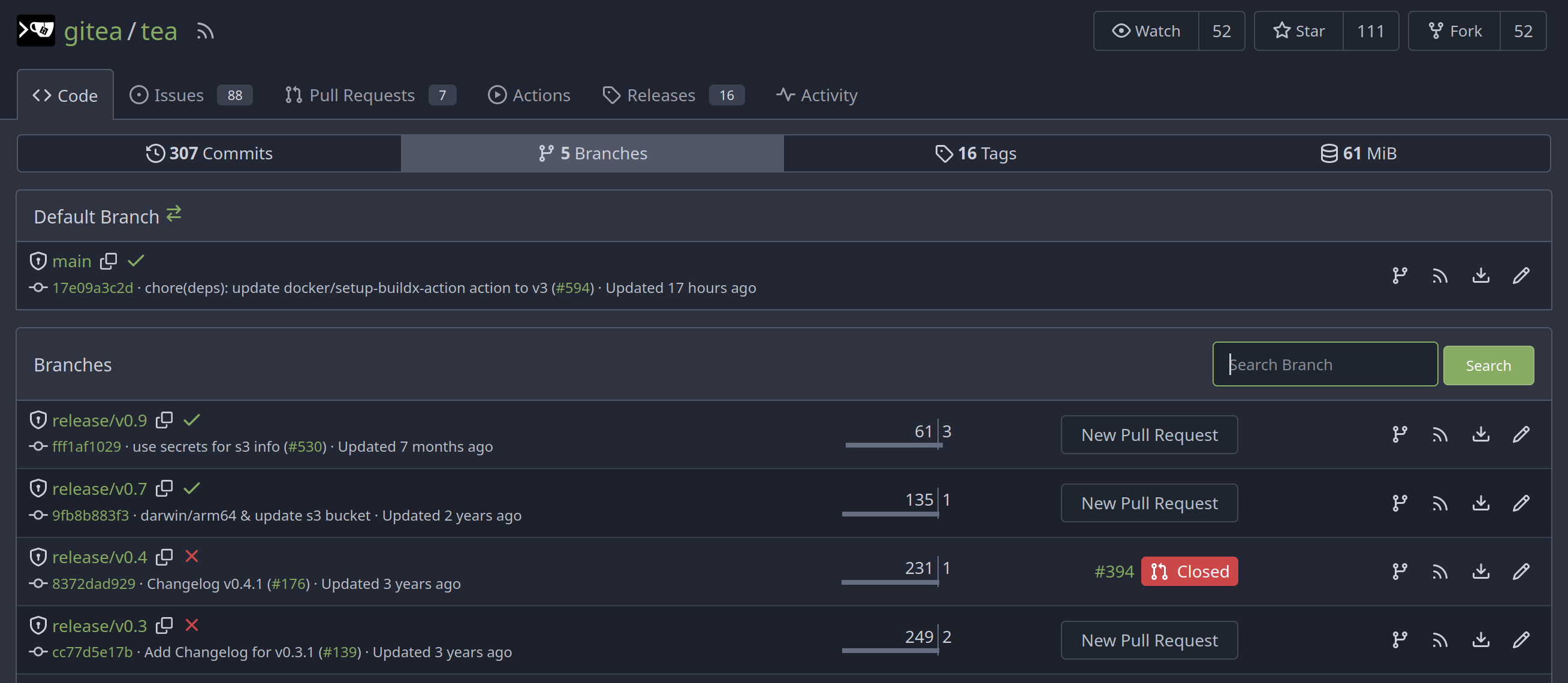
🚀 All branches now show if the CI is currently successful (#25608)
Gitea 1.22 already went through a large refactoring to ensure that requests will produce far less database deadlocks.
About half of this work has been backported to 1.21.
As a result, the performance of several requests will be substantially faster/possible at all, especially for large instances where you expect multiple simulaneous requests.
At the time of writing this blog, we have already decided to change the default themes.
As such, the gitea theme will be renamed to gitea-light, and auto will be renamed to gitea-auto. Apart from that, nothing will change for these themes.
arc-green, however, will be replaced with a more blue instead of green dark theme, similar to Discord or the Blender theme.
The new dark theme will be called gitea-dark.
We expect that Gitea 1.22 will ship with the new themes.
As of the time being, MySQL 5.7, PostgreSQL 10/11 and MSSQL 2008 have all reached the end-of-life state. Thus, Gitea 1.22 will no longer officially support these database versions.
We encourage every user to update to a new database version ASAP to ensure compatibility and security.
If you use an unsupported database version and cannot update, please get in touch with us for information on our Extended Support Contracts. We can provide testing and support for older databases and integrate those fixes into the Gitea codebase.