
Join our community
Gitea is open source. Star our GitHub repo, and join our community on Discord!
The Gitea 1.4.0 release is done, with a total of 236 merged pull requests. We made sure to deliver as many new features as possible in this version—you’re going to love it!
You can download one of pre-built binaries from our downloads page. For further details of the installation follow our installation guide.
Starting this release, we’ll walk you through the most important changes. We’ve got a lot to talk about for Gitea 1.4.0.
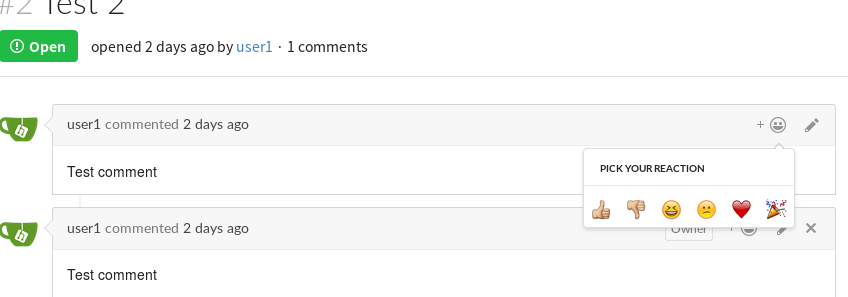
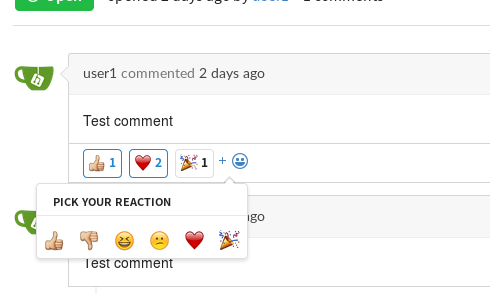
Gitea now features reactions for pull requests and issues. Quickly share your thoughts or lighten up the mood of technical discussions.
Thanks to @lafriks
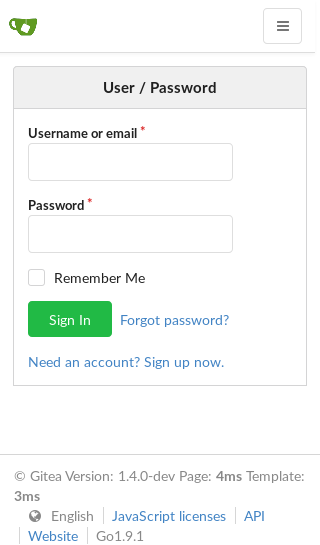
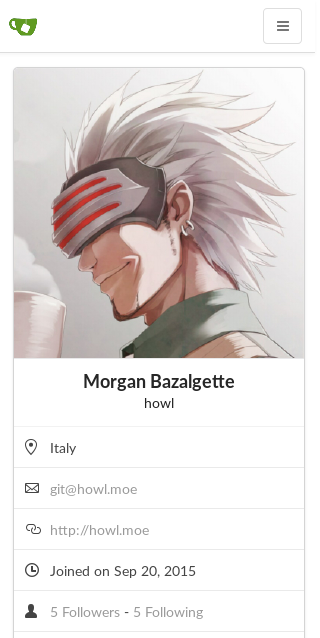
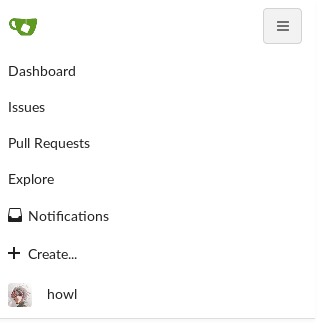
In Gitea 1.4.0 we’ve updated the web interface to a responsive layout. This makes Gitea easier to read and use on phones and tablets. Please file an issue with screenshots if you encounter parts that do not adapt correctly to smaller displays - while we did our best to test it thoroughly, we may have missed some spots!
Thanks to @thehowl
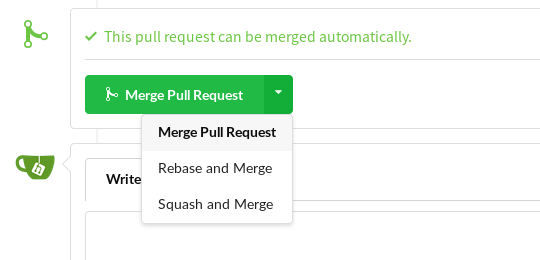
We’ve added support for ‘Rebase and Merge’ and ‘Squash and Merge’, which should allow you to keep your git history tidier. Rebase and Merge will not create a merge commit, whereas Squash and Merge will squash all the commits of the PR into one, so that in the repository’s history it looks like a single commit was added.
Thanks to @lafriks
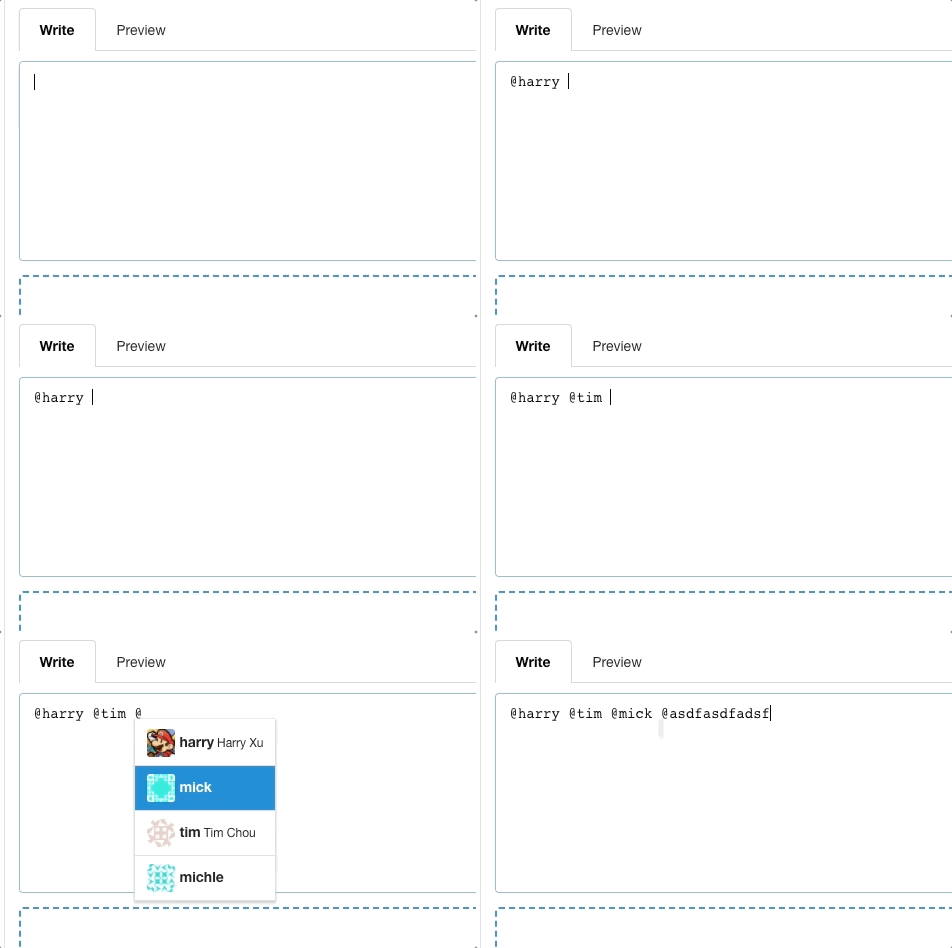
Gitea now understands the @-syntax when typing a comment and will pop up a username auto-completion dialog. This makes selecting the right username a breeze.
Thanks to @harryxu
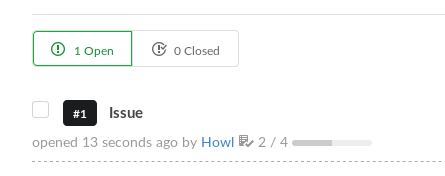
Issue lists in Gitea 1.4.0 show progress bars for issues that include checkboxes. Add checkboxes to your issue by typing - [ ] (unchecked state) or - [X] (checked state). This way, you can easily keep track of the progress you’ve made towards closing the issue.
Thanks to @modmew8

You can now quickly expand long commit messages inline using the ellipsis next to it.
Thanks to @sondr3

Gitea 1.4 adds a button to the notifications list to easily dismiss all unread notifications.
Thanks to @svarmalov
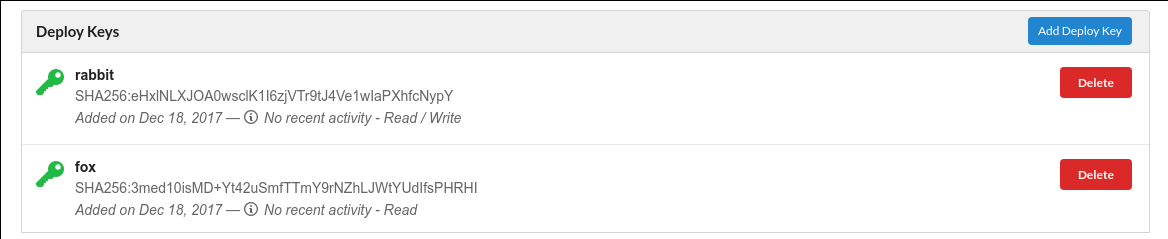
Deploy keys can now also be allowed to write to repositories. This is useful in cases where a tool automatically generates and commits code.
Thanks to @vtemian
Gitea’s custom folder already allowed you to customize parts of Gitea to your needs. In Gitea 1.4.0, we added templates allowing you to also customize JavaScript and CSS. Read all about this in the documentation.
Thanks to @techknowlogick and @tboerger
GOGS_WORK_DIR to change the working directory of Gitea, that won’t work anymore - you’ll need to use GITEA_WORK_DIR. (#2946)custom/conf/app.ini.sample - this should make it slightly less confusing for new users to find where the default configuration is. (#1522)gitea executable with no commands, it will now run the default webserver. Which means, unless you want to specify any flag, you can run gitea just by typing ./gitea. (#3331)Gitea is focused on community input and contributions. To keep a project like Gitea going we need people. LOTS of people. Feel free to help in the following areas:
If you know Go or HTML/CSS/JavaScript, you may be interested in working on the code. It may seem scary, but the best way is to try! Read the Gitea contribution guide, and then find an itch to scratch, or scratch your own!
Want to translate Gitea in your own language? Awesome! Join the Gitea project on Crowdin. As soon as your translation is approved, it will be pushed to the Gitea project to be used in future releases!
Documentation is important, but also time consuming. If you enjoy writing and have a pretty good knowledge of English, or you would like to translate the English version to your native language, you’re very welcome to do so. Find our documentation on the main git repository here. Just fork, update the documentation and then create a pull request!
Do you like people? Can you give calm and thought-out responses to users needing help? Then you can spend some time providing support to those who need it. Most answers can really be found in the documentation, so make sure to take some time to read it. Then, either join our chat or forums (linked below), or simply answer question issues on the Gitea repository.
If you lack the time or knowledge to do any of the above, just using Gitea and sharing the word is enough to make us happy! One thing you can always do is to report any bugs you find on the Gitea issue tracker.
Before opening an issue, read the contribution guidelines about reporting bugs. After opening an issue, try to stick around a while to answer any questions we might have. Replies greatly help us find the root cause of an issue.
This release would not have been possible without the pull requests from the following people:
PRs and issues merged in 1.4.0.
Our public chat, relayed across all the following systems, is available here:
If you’re more into forums, we have one as well.
Gitea is open source. Star our GitHub repo, and join our community on Discord!

Stay up to date with all things Gitea