

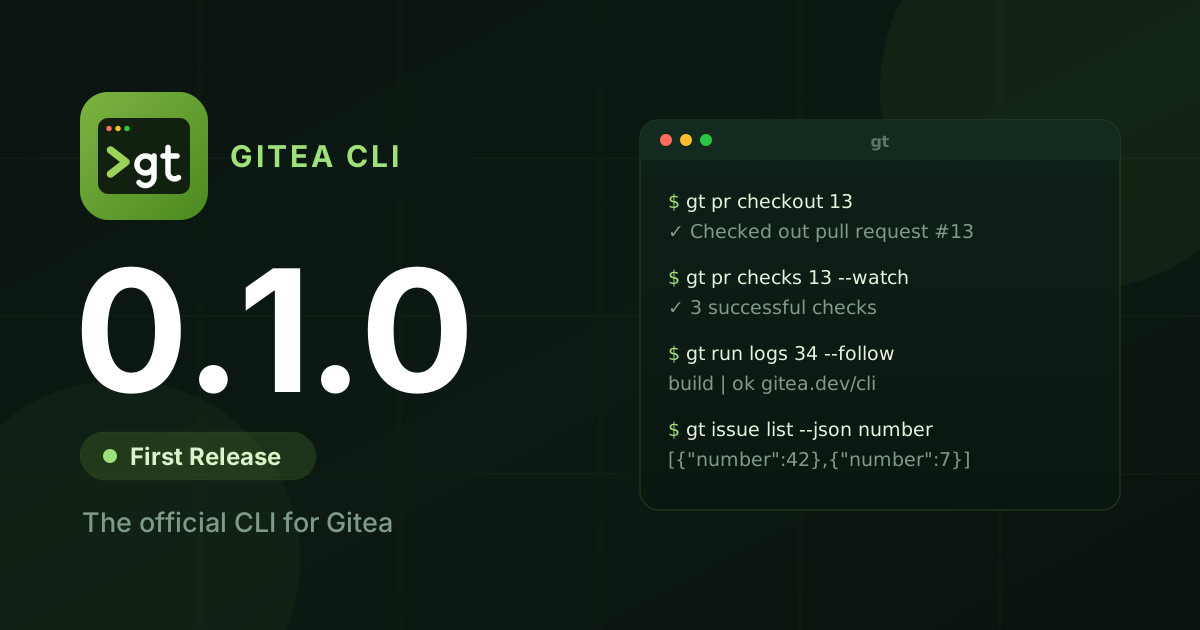
Gitea’s command line tool, tea, has been rewritten from scratch. It has a new name, gt, and a new home, gitea.com/gitea/cli. Today, we are releasing its first version, gitea-cli 0.1.0.
gt manages repositories, issues, pull requests, releases, Actions, packages and the rest of Gitea from your terminal. It has explicit commands that work the same way at your desk and in CI. It requires Gitea 28 or newer.
Why a rewrite
Section titled “Why a rewrite”tea has served Gitea users since 2018, and many people improved it over the years. It has grown organically, though. Commands differ in their flags and output, much of the logic sits directly in the command handlers, and adding a feature means touching a lot of unrelated code. Instead of another round of incremental fixes, we started over with a clear structure and a consistent command surface.
We first landed the rewrite in the tea repository as a stack of pull requests. The result no longer resembled tea: different commands, a different config, and no compatibility layer. So we gave it its own name and repository instead of shipping it as a breaking “tea 1.0”. Less than 4% of the lines in today’s code base go back to tea, and most of those are test tables.
Technical structure: What has changed?
Section titled “Technical structure: What has changed?”- Cobra instead of urfave/cli, with one command per file in
internal/app. - A service layer. All API access goes through
internal/services, built on the Gitea Go SDK. Raw HTTP is used only where the SDK has a gap, and every such call is marked. - A transport layer that is careful with your network. It bounds only the wait for an answer, so large uploads and slow downloads are not cut off, while stalled ones fail. It retries only transient failures and keeps credentials on your instance when Gitea redirects to object storage.
- A terminal layer that sanitizes server-provided text before it reaches your terminal, follows
NO_COLOR,CLICOLORand friends, and enables escape sequences on the Windows console. - Tests: 1,222 test functions, up from 216 in tea, plus integration tests against a real Gitea in CI.
What you can do with it
Section titled “What you can do with it”Every list and view command supports --json, and --jq filters the output without needing jq installed. Each command’s help lists its JSON fields, and shell completion offers them:
gt issue list --json number,title --jq '.[] | "\(.number)\t\(.title)"'Pull requests behave the way you expect from a modern forge CLI. gt pr create pushes your branch, to your fork if you work in one. gt pr checkout and gt pr diff cover fork and AGit pull requests, and gt pr checks exits with code 8 while checks are still pending:
gt pr checkout 13 --updategt pr diff 13 | git applygt pr checks 13 --watch && gt pr merge 13 --squashReviews can be written in your editor. On a terminal, gt pr review offers to annotate the diff: existing comments are shown in place, and every line you start with # becomes an inline comment on the line above it.
Actions are first-class:
gt workflow run deploy.yml --ref main --field env=staginggt run watch 34 --timeout 10m && echo deployedgt run logs 34 --job build --followgt run download 34gt secret set DEPLOY_TOKENSome of what is new compared with tea:
- Packages:
gt package upload tool 1.0.0 dist/tool-linux-amd64, plus listing, linking and deleting. - Search and status:
gt search,gt statusandgt notification watch. - More of Gitea: teams, branch protection, deploy keys, label import and export, issue dependencies and timelines, projects, and syncing forks and mirrors with
gt repo sync. - Interactive forms for create and edit. With
TERM=dumb, every prompt is asked as a plain line of text, which works with screen readers. - Aliases, completion and diagnostics:
gt alias,gt completionandgt doctor. - Access proxies: per-instance headers, client certificates and an
http_timeoutsetting for instances behind a proxy such as Cloudflare Access. - Documented behaviour:
gt help environment,gt help exit-codesandgt help formatting.
How we built it
Section titled “How we built it”We want to be open about our tools: gt was built with heavy use of AI agents (Claude Code), with a human deciding on design, scope and every change that was merged.
The process mattered more than the tool.
- Small steps. The rewrite started on 7 October as reviewable pull requests, layer by layer: transport and settings, then auth and git, terminal, services, and finally the commands.
- A user experience audit. We compared every command against a real Gitea and against established CLIs, which led to a dozen follow-up changes in output, flags and prompts.
- Adversarial review before the release. Before tagging 0.1.0 we ran repeated rounds of review. In each round, fresh agents with no memory of earlier rounds tried to break
gtagainst local Gitea 28.2 instances: one plain, one with S3 storage, and an Actions runner. They read the diff, ran every documented example, injected network faults, and planted hostile text in issues, logs and branch names. Every finding was fixed with a regression test, and then the next round started.
These rounds found and fixed several hundred problems, from wrong exit codes to a review comment landing on the wrong line. Some were bugs introduced by earlier fixes, which is why we kept repeating the rounds until they came back almost empty. The results are pull requests #7 and #18.
Coming from tea?
Section titled “Coming from tea?”gt is a new tool, not an upgrade of tea:
- Nothing is migrated.
gtkeeps its configuration in~/.config/gitea-cli/and does not read tea’s config. Log in once withgt auth login. On a terminal it asks how: OAuth in the browser, or a token. In CI, use--with-token. - Both can be installed side by side. The binaries and config directories are different.
- Environment variables use the
GITEA_CLI_prefix.GITEA_TOKENandGITEA_INSTANCE_URLwork as well, which is handy in CI.
Most commands look familiar. These moved:
| tea | gt |
|---|---|
tea login add, tea logins, tea whoami | gt auth login, gt auth status |
tea open | --web on the relevant command |
tea clone | gt repo clone |
tea comment | gt issue comment, gt pr comment |
tea actions ... | gt run, gt workflow, gt secret, gt variable |
Install
Section titled “Install”On Linux, macOS and FreeBSD:
curl -fsSL https://gitea.com/gitea/cli/raw/branch/main/scripts/install.sh | shOn Windows (PowerShell):
irm https://gitea.com/gitea/cli/raw/branch/main/scripts/install.ps1 | iexBoth scripts verify the SHA-256 checksum of the download. You can also:
- Download binaries from dl.gitea.com/gitea-cli, for amd64, arm64 and arm.
- Use Docker:
docker run --rm gitea/gitea-cli --help. - Build from source:
go install gitea.dev/cli/cmd/gt@latest.
What 0.x means
Section titled “What 0.x means”This is a first release, and the version number says so. Until 1.0, flags and output may still change where the 0.x experience shows they should. For scripts, use --json: the text output is meant for people and may change between releases. gt targets Gitea 28 and newer, and older versions are not supported.
Thanks
Section titled “Thanks”gt would not exist without tea and everyone who built and maintained it since 2018, filed issues and sent fixes. Many of the open tea issues shaped what gt does today.
Try it, and tell us what breaks or what is missing: open an issue on gitea.com/gitea/cli or find us on Discord.
More from the blog

Join our community
Gitea is open source. Star our GitHub repo, and join our community on Discord!

Subscribe to our newsletter
Stay up to date with all things Gitea