


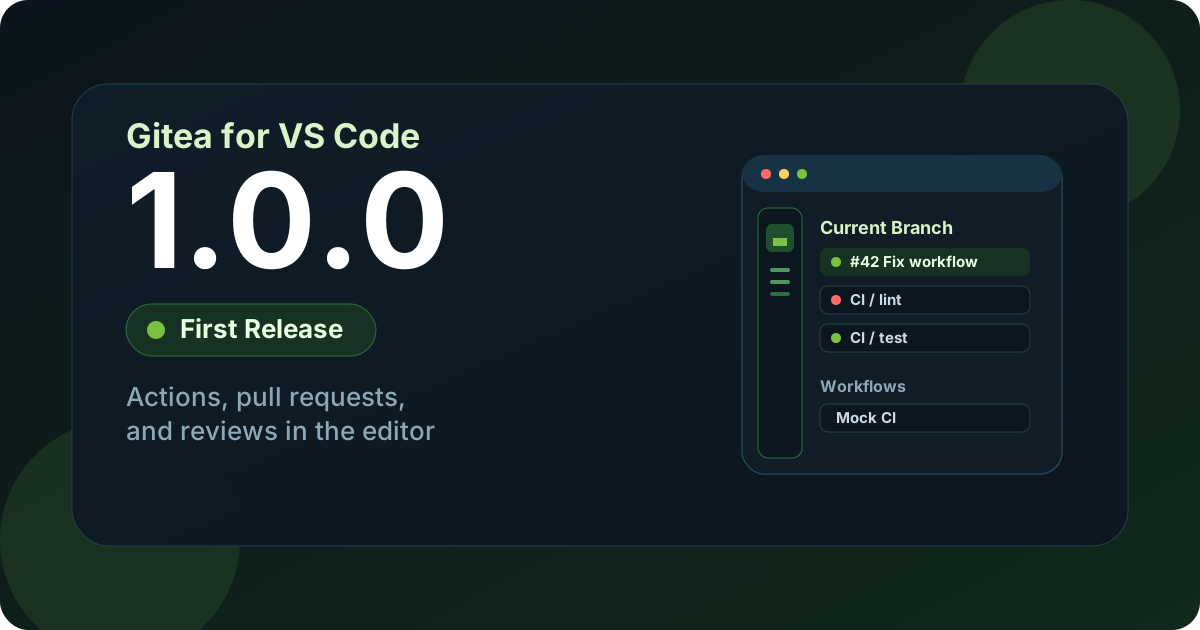
We are happy to announce the first release of Gitea for VS Code.
Gitea Actions, pull requests, and repository settings now live in the editor: workflow runs and job logs, native diffs and reviews, artifacts, secrets, and variables, without switching to the browser for every check.
The extension works in Visual Studio Code 1.105 or later and in other VS Code compatible editors such as Cursor, VSCodium, and Windsurf. It is tested against Gitea 1.27.
What you can do
Section titled “What you can do”Current Branch shows the open pull request for your working branch above that branch’s workflow runs. Failed jobs and steps sort first. Expand a run to load jobs, steps, and artifacts on demand.
Workflows groups runs by the workflow name Gitea reports. When the server does not send names, the view shows a flat Recent runs list instead.
Pull Requests lists open PRs across discovered repositories. Select a file to open a native diff, comment from the editor, submit Approve / Request changes / Comment, checkout the head branch, merge, or close. Inline review comments for the current branch appear in the editor.
Settings handles OAuth or a personal access token per Gitea instance, a connection check, and secrets and variables for the current repository.
You can also re-run a finished workflow, only its failed jobs, or a single job, and download and open artifacts straight from the tree.
A status bar item summarizes running and failed runs at a glance. The tree also refreshes on its own while you work.
Install
Section titled “Install”In Visual Studio Code, Cursor, or Windsurf, search the Extensions view for
Gitea for VS Code and install gitea.gitea-for-vscode from the
Visual Studio Marketplace.
On VSCodium, or when you need a specific build, install the .vsix from the
repository releases.
Then open the Gitea activity bar view. In Settings, sign in with OAuth or a
personal access token and run Test Connection. The default instance is
https://gitea.com; add further servers from the Settings tree. Each instance
keeps its own credential in VS Code SecretStorage, and nothing is written to
disk.
OAuth uses Gitea’s built-in Tea application and a local PKCE callback. A personal access token needs scopes to read repositories, issues, pull requests, and Actions runs, jobs, and artifacts; add write access if you want to re-run jobs, leave review comments, or manage secrets and variables.
Configure
Section titled “Configure”Two settings are worth knowing on day one.
Discovery mode controls how repositories are found: workspace reads the
git remotes of your open folders, allAccessible lists every repository the
token can reach through the API.
Refresh is adaptive: the extension polls more often while runs are queued or running and backs off when idle. Both intervals are configurable.
The remaining settings, including instance URLs, fetch limits, and the artifact download path, are documented in the README.
Source and feedback
Section titled “Source and feedback”- Repository: gitea/gitea-vscode
- Release: v1.0.0
- Issues: gitea/gitea-vscode/issues
Thank you
Section titled “Thank you”Thank you to everyone who tested early builds, reported gaps, and helped shape the first public release. If something is missing in your workflow, open an issue on the repository.
More from the blog

Join our community
Gitea is open source. Star our GitHub repo, and join our community on Discord!

Subscribe to our newsletter
Stay up to date with all things Gitea